Music > PCM PLAYER
 1
1
A PCM player for TIC-80.
This requires the very latest 1.2.0 version of TIC-80.
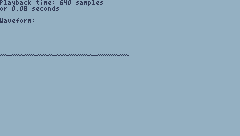
This is also ridiculously inefficient and uses all of tile, sprite and map memory for only 6 3/8 seconds playback.
The default sound loaded is the Aperture Science theme from Portal 2.
How to import:
Export your audio as headerless, 7.68 KHz, unsigned 8-bit, mono. The rest of this guide assumes it's exported with filename "in.raw".
Run the following Linux commands:
truncate -s 49024 in.raw
dd if=in.raw of=tiles.raw bs=1K count=8
dd if=in.raw of=sprites.raw bs=1K skip=8 count=8
dd if=in.raw of=maps.raw bs=1K skip=16
Copy tiles.raw, sprites.raw and maps.raw to the TIC-80 root.
Then run the cart, open the Game Menu and select "Import tiles".
Run the TIC-80 command "import map tiles.raw" and then run the cart. The message "Tiles successfully imported" should appear.
Run it again, open the menu, and select "Import sprites".
Run the command "import map sprites.raw" and then run the cart. The message "Sprites successfully imported" should appear.
Finally, run the command "import map maps.raw". Then, run the cart to hear the sound coming out of TIC-80!